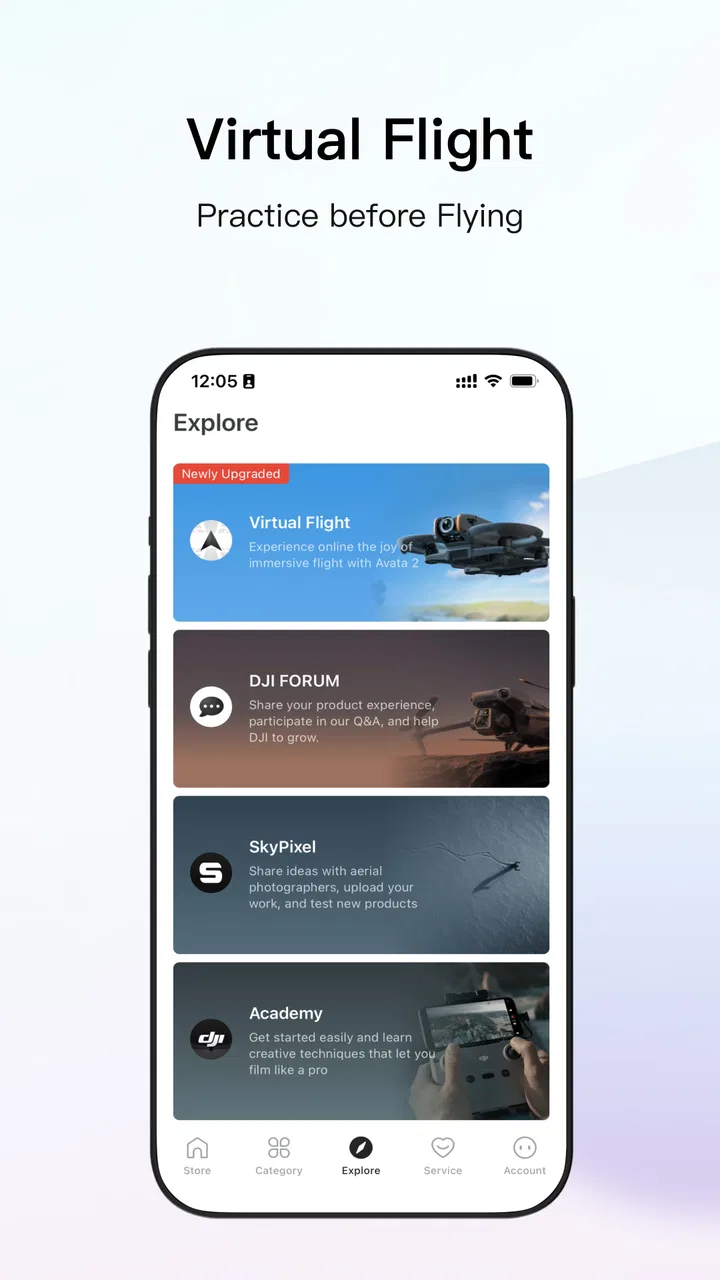
DJI Store - Try Virtual Flight
- 3.9
- Rating
- 5.00M
- Installs
- Free
- Price

 Analysis by App-foxy
DJI Store - Try Virtual Flight is a shopping app built around DJI’s official buying experience, and I found it most useful when I wanted to explore DJI products without jumping between a web browser, search results, and separate product pages. It is free, aimed at everyone, and developed by 深圳慧飞. The app has a 3.7 average from around 7.9 thousand ratings, with more than 5 million installs, so it is clearly used by a substantial audience even though the score suggests that the experience will not suit every shopper equally.
My first impression was that this is less of a general marketplace and more of a focused storefront for people already interested in DJI equipment. That distinction matters. If you want to browse drones, compare official product information, or begin a purchase from DJI’s own retail channel, the app makes sense. If you are looking for a broad comparison across brands, independent seller opinions, or the lowest possible price, I would still reach for a conventional shopping platform or a browser search.
How the app feels to read and navigate
The strongest part of a dedicated store app is concentration. Instead of filtering through unrelated brands, I can stay inside DJI’s product world and move from discovery toward a purchase with less visual clutter. The app’s short store description calls it “DJI Store,” while its broader purpose is presented as DJI’s official one-stop platform. In practice, that makes it most valuable to someone who already has a DJI product in mind or wants to understand the company’s current range.
You May Also Like

 Blood Strike: 2.5 Anniversary
Blood Strike’s Loadouts Turn Every Drop Into a Tactical Gamble
A close look at Blood Strike’s custom loadouts: how fast access to signature weapons reshapes its battle royale rhythm, rewards preparation, and narrows the gap between fights.

 Pandora - Music & Podcasts
Pandora’s Music Is Easy to Start, but Harder to Recover
Pandora’s strength is its low-effort path from a seed to a station. Its weak spot is how much confidence it asks you to place in connection, setup, and quiet recovery.

 8 Ball Pool
 Is Built on Rivalries, Rematches, and Routine
A close look at the rivalries, rematches, shared routines, and unanswered safety questions that turn a quick pool match into a persistent mobile community.

 Samsung Music
’s Quiet Strength Is Playing What You Already Own
Its reach comes less from spectacle than from dependable access to a personal library. That simplicity is both the app’s strongest retention engine and its ceiling.

 AccuWeather: Weather Radar
AccuWeather Review: A Quick, Clear Forecast for Everyday Decisions
For everyday plans, the best forecast is the one you can understand quickly. AccuWeather makes rain timing, radar, and local conditions easy to act on, with a few trade-offs.

 Hill Climb Racing
Why Hill Climb Racing Still Turns Crashes Into One More Run
A tiny car, a bumpy hill and one more upgrade: Hill Climb Racing keeps resurfacing because its simple chaos makes every near-miss feel personal.
More From Our News Desk
View All News


I paid particular attention to how easy it would be to read product information on a phone. Shopping apps can become tiring when every screen is crowded with promotional panels, large images, and repeated calls to buy. A dedicated DJI storefront naturally places a lot of emphasis on product visuals, which helps when I want to inspect a drone or accessory, but it can also make the path to practical details feel less direct than a plain comparison page.
For users who rely on clear text, the best approach is to treat the app as a browsing and decision-making tool rather than trying to absorb every detail in one pass. I would open one product, note the model and the equipment included, then return to compare another option. That workflow is easier than scrolling through several long promotional pages and trying to remember which bundle contained which accessory.
My useful reading tip is to separate inspiration from verification. The attractive product presentation can help me decide what interests me, but before ordering I would slow down and check the exact model, included items, compatibility, and delivery information shown at checkout. That small pause is worthwhile with drone equipment because a visually similar accessory may not serve the same aircraft or controller.
Navigation for different abilities
For someone with limited attention, reduced visual stamina, or difficulty processing dense pages, the app may be easier when used in short sessions. I would not try to research an entire DJI lineup in one sitting. A better routine is to choose a category, shortlist two products, and leave the app once I have enough information to make a focused comparison.
People who prefer larger text should also remember that the phone’s own display settings may affect how comfortable the interface is, although the result can vary by device and operating system. Enlarging text can improve legibility, but it may also cause more scrolling or change how much of a product card fits on screen. In a store app, that trade-off is usually acceptable: readable information is more important than seeing every option at once.
I also think the app is better suited to shoppers who are comfortable with image-led interfaces. If you prefer compact tables, keyboard navigation, or a very plain catalog, a mobile browser or a specialist review site may feel more efficient. The app’s value comes from keeping the official product journey together, not from replacing every other research method.
What the release details tell me
The app was released on September 18, 2022, and its current version is 8.0.2. It runs on Android 7.0 or later, which gives it broad compatibility with older Android phones. That is helpful for people who keep a reliable older device or use a budget handset, though compatibility alone does not guarantee that every screen will feel equally smooth on every model.
I would still keep the operating system updated where possible and make sure the phone has enough free storage for normal shopping use. I am not treating that as a special DJI requirement; it is simply sensible for any modern retail app with large product images. If a user has an older phone with a small display, limited memory, or a heavily customized interface, the browser version may be a more comfortable fallback if the app feels cramped.
Motor, sensory, and cognitive considerations
A shopping app does not demand the same physical skills as a game or a flight simulator, but it still creates small demands that affect whether the experience feels inclusive. I found that the main tasks are tapping product cards, swiping through images, scrolling long pages, selecting options, and entering information during checkout. None of these is unusual, yet repeated scrolling and precise taps can become frustrating for users with tremors, limited dexterity, or fatigue.
One practical workaround is to avoid exploratory tapping when I already know the product family I want. Searching or entering through a direct product route, when available in the app, should reduce the number of gestures needed. I would also rotate the phone only if that genuinely improves the view; changing orientation can help some readers but may be inconvenient for people who use a fixed grip or a mounted device.
For users with low vision or sensitivity to motion, product galleries deserve special attention. Large images are useful for recognizing a drone, controller, or accessory, but rapidly moving banners or image carousels can make browsing uncomfortable. I would move through visual content at my own pace rather than letting promotional material dictate the rhythm. If a page becomes tiring, I would use the product title and essential text as the anchor and return to images only when they answer a specific question.
Users who are blind or who rely heavily on spoken feedback may encounter a more difficult experience in any image-rich retail app. Product shopping often depends on labels, meaningful control names, and a logical reading order. I cannot assume that every visual element in this app will be equally convenient with a screen reader, so I would test one product journey before committing to a full purchase. If buttons or product options are not announced clearly on a particular device, the desktop website or help from another person may be the safer route.
For people with hearing loss, the basic shopping task should not depend on hearing a video or spoken explanation, but product demonstrations can still be part of how DJI presents equipment. I would rely on written specifications and product descriptions whenever a video does not provide captions or a transcript. That is also a good habit for anyone shopping in a noisy environment or using the app with sound turned off.
The app works best when I use it as a calm, deliberate catalog rather than a fast impulse-buy tool. That approach benefits users with attention differences as well as anyone who wants to avoid ordering the wrong drone accessory. I make a short note of the exact model, then check whether the accessory is intended for that model before adding it to the cart. This is more reliable than trusting a familiar-looking photograph.
Reducing cognitive load while comparing products
DJI’s range can be confusing because different products may look similar while serving very different purposes. The app helps by keeping official products in one place, but it does not remove the need for careful interpretation. I would compare one decision at a time: portability, camera purpose, flight needs, controller arrangement, or accessory compatibility. Trying to compare every specification simultaneously is likely to overwhelm a first-time buyer.
A useful personal workflow is to create a simple three-line checklist outside the app: what I need the product to do, what I already own, and what I am unwilling to compromise on. Then I use the store to confirm which product matches those points. This prevents the most visually impressive option from automatically becoming the best option for my actual situation.
People who are new to drones may also benefit from checking the product information with an independent guide before buying. The official store is the right place to inspect DJI’s own offering and begin an official order, but an independent source can explain terminology in a less sales-oriented way. I see those sources as complementary rather than competing: one helps me understand the category, while the other helps me buy from the manufacturer.
Using the app in real situations
My most realistic use case is a shopper who has decided to replace an older DJI drone before a trip. On a lunch break, I open the app, look at the current product range, and narrow my search to models that fit my travel habits. I check the product presentation, review the package contents, and save the exact model name. Later, at home, I revisit the same option and confirm the accessory list before placing the order. The app is convenient here because discovery and official purchasing stay connected.
Another good situation is buying a replacement accessory. Instead of searching the wider internet for a picture that looks right, I can start with the DJI ecosystem and identify the relevant product family. I would still verify compatibility carefully, especially if I own more than one aircraft or controller. This is one of the app’s less obvious strengths: it reduces the risk of wandering into unrelated third-party listings that use vague or incomplete descriptions.
It is also useful for gift research, but only if the buyer already knows enough about the recipient’s equipment. A drone accessory is rarely a safe blind purchase. I would ask for the exact aircraft or controller model first, then use the app to inspect official options. Without that information, a general electronics retailer may offer more flexible returns or a wider range of universal gifts.
For users with limited connectivity, the app may be less convenient than a saved document or an offline note because shopping journeys commonly depend on loading product images and current purchasing information. I would browse when the connection is stable and avoid leaving a purchase until the last moment before a trip. That is not glamorous advice, but it prevents a time-sensitive order from becoming a stressful exercise.
Where it beats ordinary shopping alternatives
Compared with a general marketplace, the DJI Store gives me a more focused path and a clearer connection to the manufacturer. I do not have to sort through unrelated brands, suspiciously similar accessories, or seller descriptions that vary in quality. For authenticity-conscious shoppers, that direct relationship is the main reason to use it.
Compared with a price-comparison site, however, the app is less useful for seeing the entire market. I cannot treat an official store as a neutral overview of every available deal. If my priority is finding the cheapest legitimate option, I would compare the official listing with reputable retailers before paying. The extra few minutes can reveal differences in delivery, returns, bundles, or local support.
Compared with a mobile browser, the app may feel more convenient for repeated DJI shopping because I can return to a dedicated environment instead of opening several tabs. The browser remains preferable when I want to quote specifications, compare independent reviews side by side, or use desktop accessibility tools. I would not insist that one format is universally better; the right choice depends on whether I am browsing casually, researching deeply, or completing a purchase.
Situational access and remaining barriers
The app’s everyone age rating makes it approachable for a broad audience, but age suitability is not the same as effortless access. A younger shopper may be able to browse products easily yet still need an adult to handle payment, delivery details, or decisions about operating a drone. Likewise, an older user may appreciate the official catalog but prefer assistance with small controls, long descriptions, or account information.
Language and technical vocabulary can create another barrier. DJI products involve terms that are not self-explanatory to newcomers, and a store interface cannot teach every concept fully without becoming cumbersome. I would not buy based on a product name alone. A short independent explanation of the difference between models can make the official shopping journey much more understandable.
There is also a financial accessibility issue even though the app itself is free. A free download does not make the products inexpensive, and the cost of a drone can extend beyond the aircraft to controllers, batteries, storage, protection, and replacement parts. I would calculate the complete setup before deciding. This is especially important for a first-time buyer who may see the main product price and overlook the equipment needed for the intended use.
Checkout is another point where situational needs matter. Users who have difficulty entering long addresses, reading small confirmation text, or managing payment steps may want to prepare the information in advance and review every field before submitting. I would avoid rushing through checkout on a phone while distracted. A larger screen or assistance from a trusted person can make the final stage less error-prone.
For people who need a very predictable interface, promotional content may be tiring even when it looks polished. I prefer to decide my research goal before opening the app: browse a product family, check an accessory, or prepare an order. That simple boundary keeps the experience manageable and reduces the chance of being pulled into unrelated browsing.
Users who need human help should also consider the support route that feels most accessible to them. The app is primarily a shopping tool, not a substitute for personalized technical advice. If the question concerns safe operation, local rules, or a complicated compatibility issue, I would seek an appropriate specialist answer rather than expecting a store screen to resolve it.
Who should use it and who should skip it
I would recommend the app to existing DJI owners, shoppers who want an official purchasing route, and people comparing DJI products within the company’s own ecosystem. It is particularly practical when I need to identify an accessory or revisit a product before ordering. The focused catalog can save time and reduce confusion caused by third-party listings.
I would be more cautious recommending it to someone who has not decided whether DJI is the right brand, someone whose main goal is bargain hunting, or someone who needs extensive independent education before buying. Those users will probably get more value by beginning with neutral reviews and a broad retailer search, then using the app for final product verification.
I would also suggest trying the app briefly before depending on it for an urgent purchase if the user has specific motor or sensory needs. A short test of reading, scrolling, product selection, and checkout navigation will reveal more than a general accessibility assumption. If that test is uncomfortable, the browser, a larger device, or assisted shopping may be a better choice.
My inclusive verdict
After using DJI Store - Try Virtual Flight as a focused shopping destination, I see a useful official storefront rather than a complete shopping solution for every kind of buyer. Its free access, broad Android compatibility, and concentrated DJI catalog make it convenient for product discovery and official purchasing. The app has reached around 7.9 thousand ratings and more than 5 million installs, but its 3.7 average also tells me to keep expectations realistic: popularity does not guarantee a perfect experience on every phone or for every shopping style.
The most inclusive way to use it is intentionally. I would enlarge text if needed, work through one product at a time, pause image-heavy pages, verify compatibility independently, and move to a browser or another person when the interface becomes a barrier. Those habits are not a criticism of the app; they are sensible safeguards for a catalog where the wrong accessory can be an expensive mistake.
My final recommendation is positive for the right audience. If I already know I want DJI equipment, I would install it as a convenient official reference and purchasing channel. If I am still learning about drones, comparing brands, or looking for the simplest low-cost route, I would not make it my only resource. Its real strength is bringing official DJI shopping into one focused place, while its main limitation is that focused shopping is not the same as independent comparison or fully personalized guidance.
FAQs for DJI Store - Try Virtual Flight
01What is the main purpose of the DJI Store - Try Virtual Flight app?
The DJI Store - Try Virtual Flight app is designed to offer users a virtual experience of flying DJI drones. It allows enthusiasts and potential buyers to explore drone controls and features in a simulated environment, providing a safe and risk-free way to practice and enhance their drone piloting skills.
02Is the DJI Store - Try Virtual Flight app suitable for beginners?
Yes, the app is highly suitable for beginners. It provides an intuitive interface and step-by-step tutorials that guide new users through the basics of drone operation. This ensures a smooth learning curve and helps build confidence before taking control of an actual drone.
03What devices are compatible with DJI Store - Try Virtual Flight?
The app is compatible with most modern Android and iOS devices. However, it requires a device with sufficient processing power and graphics capabilities to ensure a smooth virtual flying experience. It’s recommended to check the app's specific system requirements on the download page before installation.
04Does the app require an internet connection to function?
While the app can be used offline once downloaded, certain features such as updates, additional tutorials, and community interactions require an internet connection. For the best experience and to access all functionalities, it is advisable to have an active internet connection.
05Are there any costs associated with using the DJI Store - Try Virtual Flight app?
The app itself is free to download and use. However, there may be optional in-app purchases or premium features that users can buy to enhance their virtual flying experience. It's important to review these options and their costs within the app to make informed decisions.
Pros
- Great for learning drone controls.
- High-quality virtual environments.
- Includes a variety of missions.
- User-friendly interface.
- Works on multiple devices.
Cons
- Limited free content available.
- Requires a stable internet connection.
- High battery consumption.
- Occasional lag on older devices.
- In-app purchases can be expensive.

DJI Store - Try Virtual Flight
Gallery